

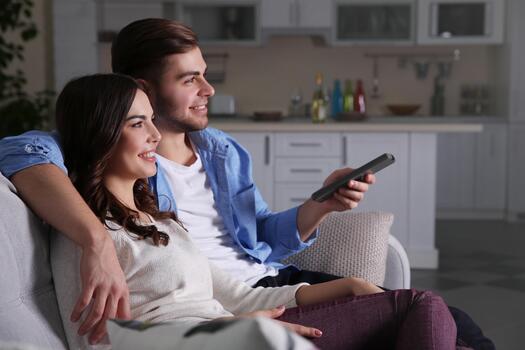
Amazon Fire Stick is a convenient way to watch internet-based television on a regular TV. For viewers interested in German programming, a compatible IPTV or streaming-TV application can provide access to live German channels, on-demand content, program guides, and other features.
The setup process is relatively simple when you use a legitimate service with an official Fire TV application. Amazon’s current Fire TV setup instructions require a compatible TV with an HDMI port, an internet connection, and an Amazon account.
This guide explains how to set up IPTV on Fire Stick for German TV channels, how to configure the application, and what to do if streaming problems occur.
What You Need Before Installing IPTV
Before beginning the setup, prepare the following:
- Amazon Fire Stick or compatible Fire TV device
- Television with an available HDMI port
- Stable internet connection
- Wi-Fi network name and password
- Amazon account
- Legitimate IPTV or streaming-TV subscription
- Official application supported by your provider
Amazon recommends connecting the Fire TV Stick to the TV’s HDMI port, connecting it to power, setting up Wi-Fi, and signing in with an Amazon account during initial setup.
Step 1 Connect the Fire Stick to Your TV
Plug the Fire Stick into an available HDMI port on your television.
Connect the supplied power cable and power adapter. Amazon recommends using the supplied power adapter rather than powering the Stick directly from the TV’s USB port.
Turn on the television and select the HDMI input connected to your Fire Stick.
You should then see the Fire TV setup screen.
Step 2 Connect Fire Stick to Wi-Fi
Follow the instructions displayed on the screen to connect the Fire Stick to your Wi-Fi network.
You can select your network and enter its password using the remote. Current Fire TV devices can also offer QR-code-based Wi-Fi setup through a mobile phone.
A stable internet connection is important because live television continuously streams video data.
Step 3 Sign In to Your Amazon Account
During the setup process, Fire TV asks you to sign in or register an Amazon account.
Follow the on-screen instructions to complete the registration.
Once the device is configured, you can access Fire TV’s application environment and install supported applications. iptv germany subscription provides viewers with a structured way to access available streaming content and services.
Step 4 Find the IPTV Application
Open the Fire TV home screen and navigate to the application search area.
Amazon’s current Fire TV interface includes an Apps section where users can find applications available for the device.
Search for the official application provided or recommended by your legitimate IPTV or streaming-TV service.
The exact application name depends on the provider.
Step 5 Install the Official Application
Select the appropriate application and choose the installation option.
Wait until the installation finishes, then open the application.
Using an official application from an authorized source is preferable because unknown IPTV applications can create unnecessary privacy and security risks.
Some German television services are officially available through Fire TV. For example, ARD confirms that the ARD Mediathek application is available through the Amazon Store for Fire TV.
Step 6 Sign In to Your IPTV Account
After opening the application, follow the provider’s instructions for authentication.
Depending on the service, you may need:
- Email address and password
- Username and password
- Activation code
- QR-code activation
- Another account verification method
Only enter your credentials into the legitimate application associated with your subscription.
Step 7 Configure the IPTV Application
After signing in, open the application’s settings.
Depending on the service, you may be able to configure:
- Video quality
- Audio language
- Subtitle preferences
- Parental controls
- Favorite channels
- Electronic Program Guide
- Playback settings
- Notifications
If your internet connection is stable, you can select an appropriate HD setting when it is available through your subscription.
Step 8 Open the German TV Channel List
Return to the application’s main menu and select the live-TV section.
The available channel categories depend on your provider.
You may find categories such as:
- German news
- Entertainment
- Sports
- Movies
- Documentaries
- Children’s programming
- Regional channels
- General German television
The actual channel lineup depends on the provider and its content rights.
ARD also confirms that its programs and partner channels can be accessed through various legitimate streaming platforms, including Zattoo, waipu.tv, Joyn PLUS+, and MagentaTV.
Step 9 Use the Electronic Program Guide
If your IPTV service provides an Electronic Program Guide, open it to see current and upcoming programs.
An EPG can help you find German channels without manually opening each channel.
Depending on the service, you may also be able to:
- View program descriptions
- See upcoming broadcasts
- Search for programs
- Add programs to favorites
- Schedule recordings
Step 10 Test Several German Channels
After completing the setup, test several channels.
Check whether:
- Channels load quickly
- Video playback is stable
- Audio is synchronized
- Picture quality is acceptable
- Channel switching works correctly
Testing several channels can help determine whether a problem is related to your Fire Stick, internet connection, application, or an individual stream.
How to Improve IPTV Streaming on Fire Stick
Use a Stable Internet Connection
A reliable internet connection is one of the most important requirements for IPTV.
If your Fire Stick is connected through Wi-Fi, make sure it receives a strong signal from the router.
If possible, position the router and Fire Stick so that there are fewer obstacles between them.
Reduce Network Congestion
Other devices connected to the same network can consume bandwidth.
If IPTV starts buffering while someone else is downloading large files, uploading videos, or streaming high-resolution content, temporarily reduce other network activity.
Use Ethernet When Practical
Some Fire TV setups can use an Ethernet connection through compatible accessories.
A wired connection can be useful when Wi-Fi is weak or unstable.
Keep Fire TV Updated
Check for available Fire TV software updates and application updates.
Keeping the device and applications updated can help maintain compatibility and performance.
Troubleshooting IPTV on Fire Stick
IPTV Application Does Not Appear
Check whether the application is officially available for your Fire TV device and region.
Not every application supports every Fire TV model.
If the provider does not support your device, check whether it offers another official application or compatible streaming platform.
IPTV Application Will Not Install
Make sure your Fire Stick has sufficient storage and an active internet connection.
Amazon notes that problems downloading applications can also involve account or payment configuration.
Restart the device and try again if the problem continues.
IPTV Keeps Buffering
Start by checking your internet connection.
Try:
- Restarting your router.
- Restarting the Fire Stick.
- Moving the Fire Stick or router to improve Wi-Fi reception.
- Reducing other network activity.
- Using a wired connection if practical.
If other streaming applications work normally while only one service buffers, the problem may be specific to that service.
German Channels Are Missing
Check your subscription’s current channel list.
Channels can vary between packages and may change because of content licensing arrangements.
Contact the provider if a channel that should be included is unavailable.
Poor Picture Quality
Check the application’s video-quality settings and your internet connection.
Picture quality also depends on the source stream, subscription, television resolution, and Fire Stick model.
Audio and Video Are Out of Sync
Restart the stream and application first.
If the problem occurs across several channels, restart the Fire Stick and check for software updates. If only one channel has the problem, it may be related to that particular stream.
Can You Install IPTV Apps Outside the Amazon Appstore?
Fire TV also supports technical methods for installing applications outside the Amazon Appstore, commonly known as sideloading. Amazon’s developer documentation describes sideloading as installing an app outside the Appstore.
However, ordinary viewers should not assume that an unknown APK is safe simply because it can be installed.
For watching German TV, the safer approach is to use an official application supplied through an authorized source whenever one is available. If your provider does not have an official Fire TV application, check its own documentation for supported alternatives rather than downloading random APK files.
Legal Considerations for German IPTV
IPTV is a technology for delivering television through an internet connection. The important issue is whether an individual service has the necessary rights to distribute the channels and programs it offers.
German television is available through several legitimate internet-based options. ARD explains that its programming can be received through IPTV and lists providers such as Telekom and Vodafone, as well as streaming services including Zattoo, waipu.tv, and Joyn.
When selecting a service, look for:
- Transparent company information
- Clear subscription terms
- Official applications
- Clearly identified channels
- Customer support
- Transparent pricing
- Appropriate content distribution rights
Be cautious with services that promise unusually large collections of premium channels for very low prices without providing clear information about their business or content licensing.
Advantages of Watching German TV on Fire Stick
Easy Setup
Once the Fire Stick is connected and configured, compatible applications can be accessed directly from the TV.
Convenient Remote Control
You can navigate live channels and streaming applications using the Fire TV remote.
Large Screen Viewing
German live TV and on-demand content can be watched directly on a television instead of a computer or smartphone.
Flexible Applications
Fire TV supports a broad range of streaming applications, allowing viewers to choose services that meet their requirements.
No Satellite Dish for Internet Streaming
Internet-based television does not require a satellite dish for content delivered through the streaming service.
Access to German Streaming Platforms
Several legitimate German television platforms make content available through internet-connected devices. ARD specifically confirms Fire TV support for its Mediathek application.
Frequently Asked Questions
Can I watch German TV channels on Fire Stick?
Yes. Fire TV supports compatible streaming applications that can provide access to German television. The available channels depend on the application and service.
Do I need an IPTV subscription?
Not necessarily. Some German broadcasters and streaming platforms provide free content, while other services require a paid subscription. ARD, for example, offers its Mediathek through Fire TV.
Can I install an IPTV app directly on Fire Stick?
Yes, if the application is compatible and available through an authorized Fire TV application source.
Can I watch German channels in HD?
Many legitimate services offer HD content. Actual quality depends on the provider, channel, subscription, internet connection, Fire Stick, and television.
Why does IPTV buffer on Fire Stick?
Buffering can result from weak Wi-Fi, network congestion, device performance, application problems, or issues with the particular streaming service.
Can I use Wi-Fi for German IPTV?
Yes. Fire TV can connect to Wi-Fi during its standard setup process.
Can I use Fire Stick with a Smart TV?
Yes. A Fire Stick can be connected to a compatible television through HDMI, including many Smart TVs.
Can I watch German IPTV outside Germany?
Availability depends on the service, licensing arrangements, and geographic restrictions. Check the provider’s current terms before travelling or using the service from another country.
Is IPTV legal in Germany?
IPTV technology itself is legal. However, individual providers need appropriate rights to distribute the content they offer. Choosing transparent, legitimate services helps avoid unauthorized content.
What is the easiest way to install IPTV on Fire Stick?
For a legitimate service, the simplest method is generally to install its official compatible application through an authorized Fire TV application source, sign in, and configure the service.
Conclusion
Installing IPTV on a Fire Stick for German TV channels can be straightforward when you use a compatible device and legitimate streaming service. The main process involves setting up the Fire Stick, connecting it to the internet, installing an authorized application, signing in, configuring the service, and selecting German TV channels.
Amazon’s official Fire TV documentation confirms that the device can be connected through HDMI, configured with Wi-Fi, and used to download compatible applications. German broadcasters such as ARD also provide official Fire TV applications and support internet-based access to their programming.
For the best experience, use an official application, maintain a stable internet connection, verify that your subscription includes the German channels you want, and choose a provider that has the appropriate rights to distribute its content.
